
iOS 27 Release Date and Features: Everything iPhone Users Need to Know
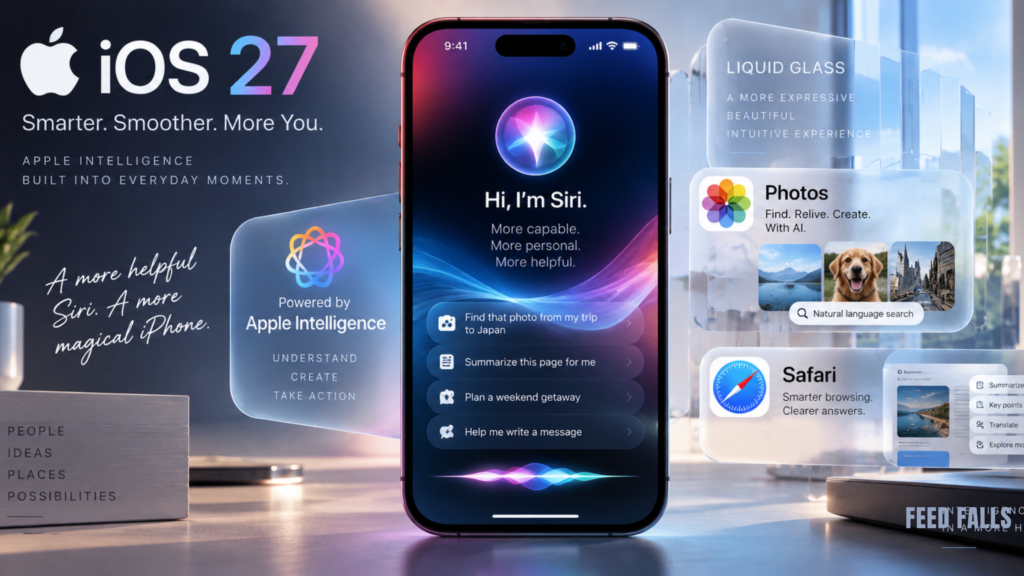
Apple has officially released iOS 27, bringing a major upgrade to Siri, new Apple Intelligence capabilities, performance improvements, redesigned Liquid Glass controls, stronger parental controls, and several useful changes across everyday iPhone apps.
The iOS 27 release date was September 14, 2026. The update is available for iPhone 11 and newer, including the second-generation iPhone SE and newer models. However, not every iPhone that can install iOS 27 gets every Apple Intelligence feature.
For most iPhone users, the biggest change is not a visual redesign. It is the expanded role of Siri AI, which can understand personal context, interact with what is on screen, perform more actions across apps, and use information from the web when appropriate.
iOS 27 Release Date
Apple released iOS 27 on September 14, 2026.
The final iOS 27 release is listed by Apple as version iOS 27.0, build 24A437. Apple also released iPadOS 27, macOS 27, watchOS 27, visionOS 27 and tvOS 27 on the same date.
To check for the update on an iPhone:
Settings > General > Software Update
Before installing a major software update, it is sensible to make an iCloud or computer backup and ensure the phone has enough available storage.
Which iPhones Support iOS 27?
Apple’s compatibility list is unusually broad. iOS 27 supports iPhones going back to the iPhone 11 generation, as well as the second-generation iPhone SE and newer models.
Compatible models include:
- iPhone 18 series
- iPhone Air
- iPhone 17 series
- iPhone 17e
- iPhone 16 series
- iPhone 16e
- iPhone 15 series
- iPhone 14 series
- iPhone 13 series
- iPhone 12 series
- iPhone 11 series
- iPhone SE, 2nd generation and later
However, compatibility with iOS 27 does not mean every new feature works on every supported iPhone.
The most demanding Apple Intelligence features require newer hardware. Apple says Apple Intelligence and Siri AI in iOS 27 are available on iPhone 16 models and later, iPhone 15 Pro and iPhone 15 Pro Max, along with selected other Apple devices.
The Biggest iOS 27 Features
1. Siri AI Gets a Major Upgrade
Siri is the centerpiece of iOS 27.
Apple has rebuilt the assistant around its newer Apple Intelligence architecture. Siri AI can understand more natural requests, use personal context, recognize information on the screen, and perform more actions across Apple’s apps and services.
For example, Siri can use information from messages, emails and photos to help answer a question. It can also work with what is currently displayed on the iPhone rather than treating every request as an isolated voice command.
Apple is also introducing a dedicated Siri app, allowing users to revisit conversations and continue them across supported Apple devices through iCloud.
Siri AI is initially rolling out as a beta in English. Apple says French, Japanese, Korean, Portuguese and Spanish support is coming in October.
2. Siri Comes Into the Camera Experience
One of the more interesting iOS 27 changes is Siri’s integration with the iPhone Camera app.
Users can point the camera at something and ask Siri about it. Apple demonstrates scenarios such as understanding information in front of the camera and taking actions based on what the user sees.
This brings Siri closer to the visual-search experience people may already associate with tools such as Google Lens.
The difference is that Apple’s system is designed to connect visual understanding with actions inside the Apple ecosystem.
3. Visual Intelligence Gets More Useful
Visual Intelligence is also expanding.
On iPhone, iPad and Mac, users can ask Siri about content currently displayed on the screen. That means information does not necessarily need to be copied and pasted into a separate AI tool before it can be analyzed.
For users who regularly research products, read documents or work with information on their phones, this could be one of the more practical Apple Intelligence improvements.
4. Photos Gets New AI Editing Tools
The Photos app receives several new editing capabilities, including:
- Spatial Reframing
- Extend
- An upgraded Clean Up tool
These tools give users more ways to modify photographs while preserving the original image.
Apple is also expanding Image Playground so users can generate images in a wider range of styles, including photorealistic results.
Apple says generated or edited images can also include metadata and upcoming support for SynthID, helping identify AI-generated or AI-edited content.
5. Safari Gets Smarter
Safari receives several Apple Intelligence features that could be particularly useful for heavy web users.
Safari can now automatically organize tabs into topics, making large collections of open pages easier to manage.
Another feature, Notify Me, can alert users when a website changes. Apple gives examples such as product restocks and price changes.
That could be useful for shoppers tracking products, people monitoring ticket availability, or anyone waiting for an item to come back in stock.
Safari can also help create custom extensions from a description using Apple Intelligence.
iOS 27 Makes the iPhone Faster
Not every important iOS 27 improvement involves AI.
Apple says the update improves everyday performance across iPhone and iPad.
According to Apple, apps can launch up to 30% faster, photos can load up to 70% faster after being taken, and AirDrop transfers can be up to 80% faster.
These are Apple’s measured claims rather than guarantees for every device or situation. Actual performance will vary depending on the iPhone model, workload, network conditions and other factors.
The important point is that Apple has optimized the operating system rather than limiting the update to newer iPhones.
Liquid Glass Gets More Customization
iOS 27 also refines Apple’s Liquid Glass design introduced in the previous major software release.
One of the most practical changes is a new control that lets users adjust the appearance of Liquid Glass between a more transparent look and a more tinted appearance. Apple has also refined app icons and other interface elements.
This gives users more control if they found the earlier design difficult to read or simply prefer a less transparent interface.
New Child Safety and Screen Time Tools
Apple has added several tools designed to give parents more control over children’s devices.
A new setup process allows parents to establish age-based safeguards when creating or configuring a child account.
There is also Ask to Browse, which allows parents to approve a child’s access to new websites in Safari. Communication Safety has also been expanded to detect and intervene when graphic or violent content appears in shared images or videos.
Screen Time has been redesigned as well.
Parents can see average device usage and frequently used apps more clearly, establish daily limits across categories such as Entertainment, Games and Social Media, and use schedules to control when certain apps are accessible.
More iOS 27 Improvements Worth Knowing
Several smaller changes could have a noticeable effect on everyday iPhone use.
Better Wi-Fi and cellular switching
Apple says iPhone and iPad can transition between Wi-Fi and cellular networks more smoothly. Messages can also continue sending while large photos or videos are being delivered over a low-bandwidth connection.
Improved search
Search across Spotlight, Photos and Mail has been refined to make results more stable and comprehensive. Mail also gets a new ranking system for Top Hits.
Health improvements
The Health app now supports perimenopause and menopause information in Cycle Tracking, including notifications about deviations in logged cycle patterns.
GymKit on iPhone
GymKit is expanding to iPhone, allowing compatible cardio equipment such as treadmills, bikes, ellipticals and stair-steppers to provide real-time workout information. Apple also supports heart-rate tracking through AirPods Pro 3 in compatible setups.
Smarter Home features
Apple Intelligence adds new capabilities to the Home app, including combining related activity notifications, describing selected HomeKit Secure Video footage and searching for video clips based on what happened. Supported HomeKit Secure Video cameras can also stream and record in 4K.
Does Every iPhone Get Apple Intelligence?
No.
This is an important distinction when considering the iOS 27 features.
Your iPhone may be fully compatible with iOS 27 while lacking the hardware required for Apple’s newer AI capabilities.
Apple Intelligence and Siri AI require supported newer devices, including iPhone 16 models and later and the iPhone 15 Pro and iPhone 15 Pro Max.
So an iPhone 11 can receive iOS 27, but an iPhone 15 Pro gets access to a much broader set of Apple Intelligence capabilities.
Apple also notes that some server-based Apple Intelligence features have daily usage limits. Those limits can vary based on the feature, request complexity, system demand and other factors.
Is iOS 27 Worth Installing?
For compatible iPhone owners, iOS 27 is more than a cosmetic update.
The strongest reasons to install it include:
- A substantially more capable Siri
- Expanded Apple Intelligence
- New photo editing tools
- Smarter Safari features
- Better system performance
- More Liquid Glass customization
- Improved parental controls
- New Health and fitness capabilities
- Better connectivity and search
The value of the update depends heavily on the iPhone model, though. Users with newer Apple Intelligence-compatible iPhones will see more of the headline features than owners of older supported models.
The Bottom Line
The iOS 27 release date was September 14, 2026, and the update is now available for compatible iPhones starting with the iPhone 11 and second-generation iPhone SE.
The defining change is Siri AI, which moves Apple’s assistant toward a more contextual and action-oriented experience. Beyond Siri, iOS 27 adds AI-powered photo and Safari tools, improved performance, customizable Liquid Glass, stronger child safety controls and useful changes to Health, Home and connectivity.
For iPhone 15 Pro and newer users, the Apple Intelligence features are likely to be the biggest reason to upgrade. For older iPhones, the performance and quality-of-life improvements still make iOS 27 a meaningful update, even though some AI capabilities are unavailable.